

Power BI Embedded has become a powerful choice for SaaS vendors and finance teams that want to deliver analytics directly inside their own applications. By embedding Power BI reports into custom platforms, organizations can offer rich, interactive insights without forcing users to switch tools.
However, while Power BI Embedded excels at visualizing data, many embedded solutions still struggle with one critical capability: interaction beyond filtering. Planning, commenting, corrections, and collaboration often happen outside the embedded experience – usually in spreadsheets, emails, or separate planning tools.
This is where Power BI Embedded writeback becomes essential. And it’s exactly where WeWrite fits in.
What is Power BI Embedded?
Power BI Embedded allows software vendors and enterprises to integrate Power BI reports, dashboards, and visuals directly into their own applications. Instead of users logging into the Power BI service, analytics are delivered within an existing product or portal.
This model is especially attractive for:
Power BI Embedded is designed to scale, supports application-owned data, and enables flexible licensing models-making it ideal for customer-facing analytics.
But embedded analytics alone are not enough for modern planning and decision-making.

Why Power BI Embedded writeback matters
Most embedded Power BI solutions are read-only by default. Users can explore data, drill down, and filter-but they can’t act on what they see.
For finance teams and SaaS platforms, this creates limitations:
Power BI Embedded writeback closes this gap by allowing users to write data back to a database directly from embedded reports.
With writeback, embedded analytics become translytical-combining reporting, planning, and action in one environment
WeWrite as a planning & collaboration layer for Power BI Embedded
WeWrite is designed to work inside Power BI Embedded environments, acting as a dedicated planning and collaboration layer within your embedded analytics.
Instead of treating Power BI as a static reporting component, WeWrite enables users to:
All of this happens inside the embedded Power BI experience, no external tools required.
Key capabilities of WeWrite in Power BI Embedded
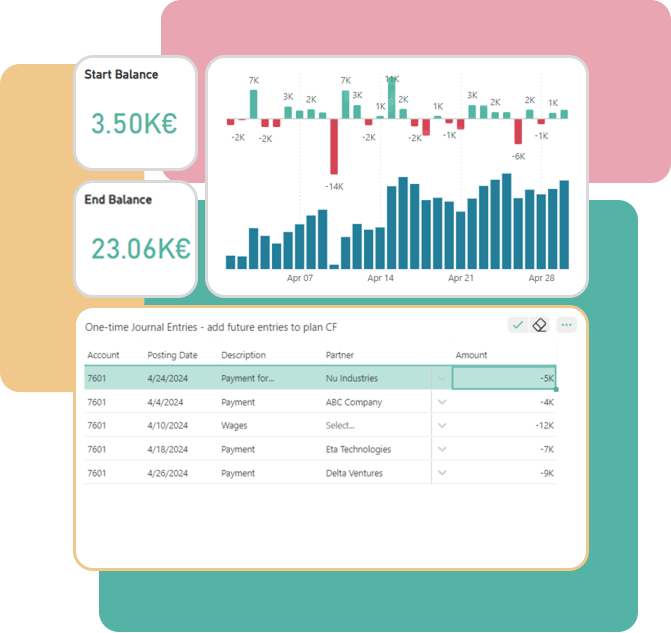
Writeback for planning and forecasting
WeWrite enables secure writeback from Power BI Embedded reports to your underlying database. This makes it possible to support:
For FP&A teams, this means planning cycles can happen directly inside the reports they already use. For SaaS vendors, it enables interactive, customer-facing planning features without building custom writeback logic from scratch.
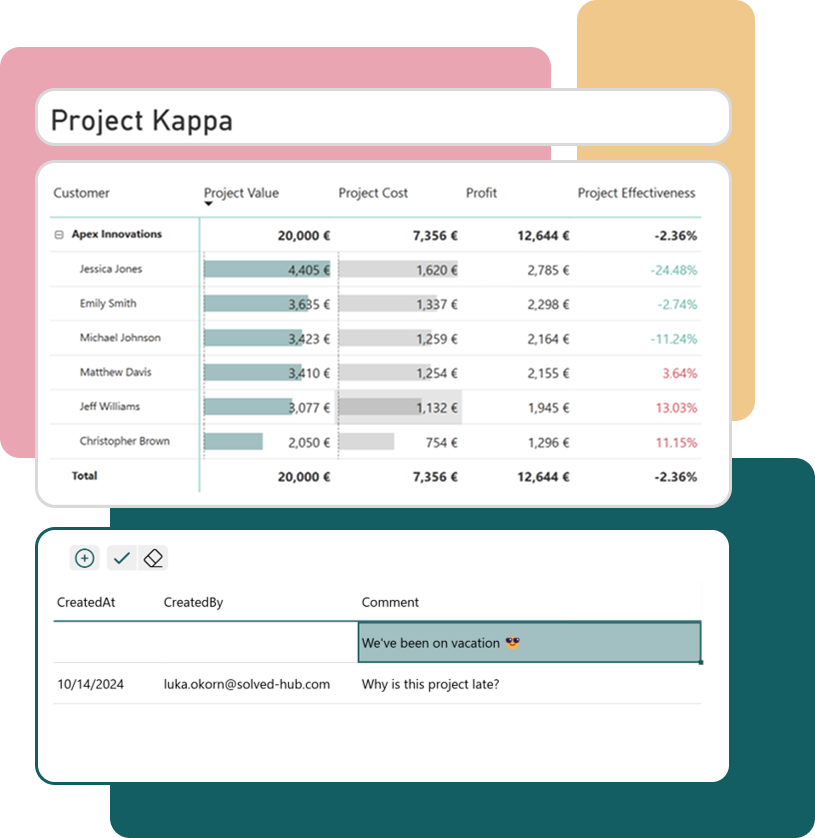
Commenting for contextual collaboration
Data without context leads to confusion. WeWrite’s commenting functionality allows users to:
Comments stay tied to the data, reducing back-and-forth emails and improving transparency – especially important for finance teams working across regions or departments.
Category mapping and data correction
In many embedded analytics scenarios, users need to fix or reclassify data:
WeWrite allows category mapping directly within the embedded Power BI environment, empowering business users to resolve issues without technical intervention.
User managment
Managing access is critical in embedded environments. WeWrite enables you to set user access within the report itself allowing you to:
This gives SaaS vendors and finance teams the governance they need without relying on Power BI admins.
Whitelabel support for SaaS vendors
For SaaS vendors, consistency of user experience is key. WeWrite can be used as a whitelabel solution, allowing it to blend into your existing application design and branding.
This makes it possible to:
Why WeWrite works especially well in embedded scenarios
Power BI Embedded environments have specific requirements around scalability, security, and performance. WeWrite is built with these scenarios in mind.
Some key advantages include:
Rather than forcing workarounds or external tools, WeWrite complements Power BI Embedded by extending its capabilities where native features stop.
Use cases for SaaS vendors and FP&A teams
For SaaS vendors, WeWrite enables:
For FP&A teams, WeWrite supports:
In both cases, the result is a more complete analytics experience – moving from insight to action in one place.
Getting started with WeWrite and Power BI Embedded
If you’re already using Power BI Embedded, or just planning to, adding writeback and collaboration is a natural next step.